

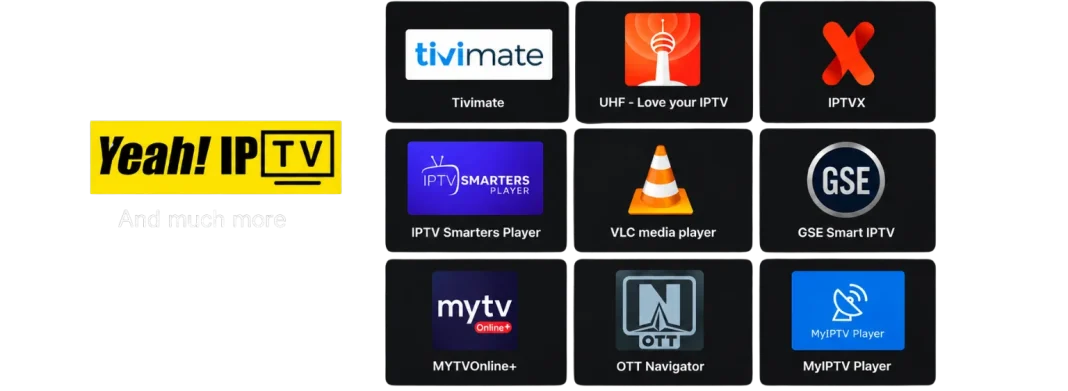

Cable and satellite packages are shrinking in popularity for a simple reason: people no longer want to pay for two hundred channels to watch ten. Internet-based television, or IPTV, lets you stream live channels, sports, and on-demand libraries on the device you already own, usually for a fraction of a traditional TV bill. If you are thinking about switching in 2026, this guide explains how IPTV works, what to look for in a provider, and which types of services suit different viewers.
How IPTV Actually Works
IPTV stands for Internet Protocol Television. Instead of receiving a broadcast signal through a cable or dish, your device pulls a video stream over your internet connection, the same way Netflix or YouTube does.
A provider gives you login details, usually in the form of an M3U playlist link or Xtream Codes credentials, and you load those into an IPTV player app. From there, you get a channel list, a program guide, and often a video-on-demand section, all inside one interface.
Because the technology is standardised, the same credentials work across Android TV boxes, Fire TV Sticks, Smart TVs, phones, and computers.
What to Check Before You Subscribe
The three things that matter most are stability, guide accuracy, and support.
Stability means the stream holds up during peak hours, particularly live sports on weekend evenings. Guide accuracy means the EPG matches the channel lineup so you can actually find what you want to watch. Support means someone replies within a reasonable time when something breaks.
Channel count, by contrast, is mostly a marketing number; a provider with 5,000 channels that work is far better than one with 20,000 that buffer. Always start with a short plan or trial and confirm the service performs before committing to a year.
Providers Worth a Look in 2026
Different services target different audiences, so the best choice depends on where you are and what you watch. Here are three that cover distinct needs.
For a broad international lineup: services built around a large multi-region channel list and a deep VOD catalogue tend to suit viewers who follow content from several countries. One example that gets frequent mentions in cord-cutting communities is this IPTV provider, known for compatibility with players like TiviMate and IPTV Smarters, fast channel switching, and a guide that lines up correctly with the channel list.
For viewers in Australia and New Zealand: generic global services often ignore local channels and schedule sports at inconvenient hours. A regionally focused option such as IPTV Subscription Australia is designed around Australian and international channels, with servers positioned to keep latency low for users in the Asia-Pacific region. Choosing a provider that targets your location usually results in noticeably better stability.
For HD quality and easy setup: if picture quality and simple installation are your priorities, a service like Xtreme HD IPTV focuses on HD and full-HD streams, wide device support, and regularly updated sports and on-demand content. It is a practical choice for users who want to plug in credentials and start watching without much configuration.
Setting Up Your First IPTV Player
Once you have credentials, setup takes a few minutes.
Install a player such as TiviMate or IPTV Smarters from your device’s app store. Open it, choose to add a new playlist, and select either the Xtream Codes or M3U option depending on what your provider gave you.
Paste in the server address, username, and password, give the playlist a name, and let the channels and EPG load.
If the guide looks empty or shifted, check the EPG settings in the app and refresh it. If channels refuse to load, double-check that the server address includes the correct port number.
Legal and Privacy Considerations
IPTV as a delivery method is completely legal, and many licensed broadcasters use it. Whether a specific third-party provider is licensed for everything it streams varies, and regulations differ from country to country. Take the time to understand the rules where you live.
Many users also run a VPN while streaming for privacy, and some ISPs throttle video traffic, so a VPN can occasionally improve performance as well.
Final Thoughts
Switching from cable to IPTV can save real money and give you more control over what you watch, but only if you pick a provider that holds up in daily use.
Focus on stability, guide accuracy, and support rather than headline channel counts, match the provider to your region and viewing habits, and always test before you commit. Do that, and the transition is usually smoother than most people expect.